Instructions on how to book a yoga class using Momoyoga app.
Momoyoga is our simple and secure online booking system, made just for yoga studios.
You can download the Momoyoga app straight to your phone here:
• Google Play (Android)
• Apple Store (iPhone)
From the app you can book classes, purchase class passes or memberships, register for workshops, and manage everything in one place.
Bookings are essential. They help me make sure the class has the right number of props and space for everyone. They also mean I can easily contact you if something unexpected ever pops up, like illness or an emergency.
We don’t accept cash payments at the studio, so all bookings and payments are made through Momoyoga.
Below is a quick step-by-step guide. It only takes about 30 seconds to book your class. Once you’ve done it once, you’ll be set! If anything feels confusing or tricky, please just send me an email. I’m always here to help.
Momoyoga App Instructions
-
Step 1
-
Step 2
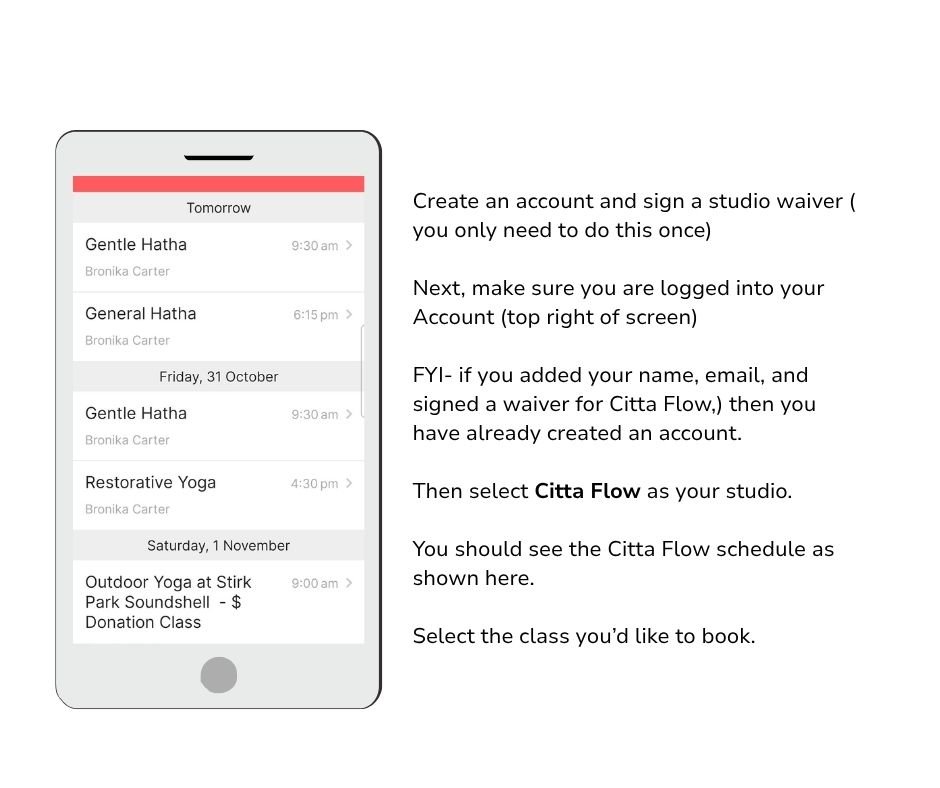
-
Step 3
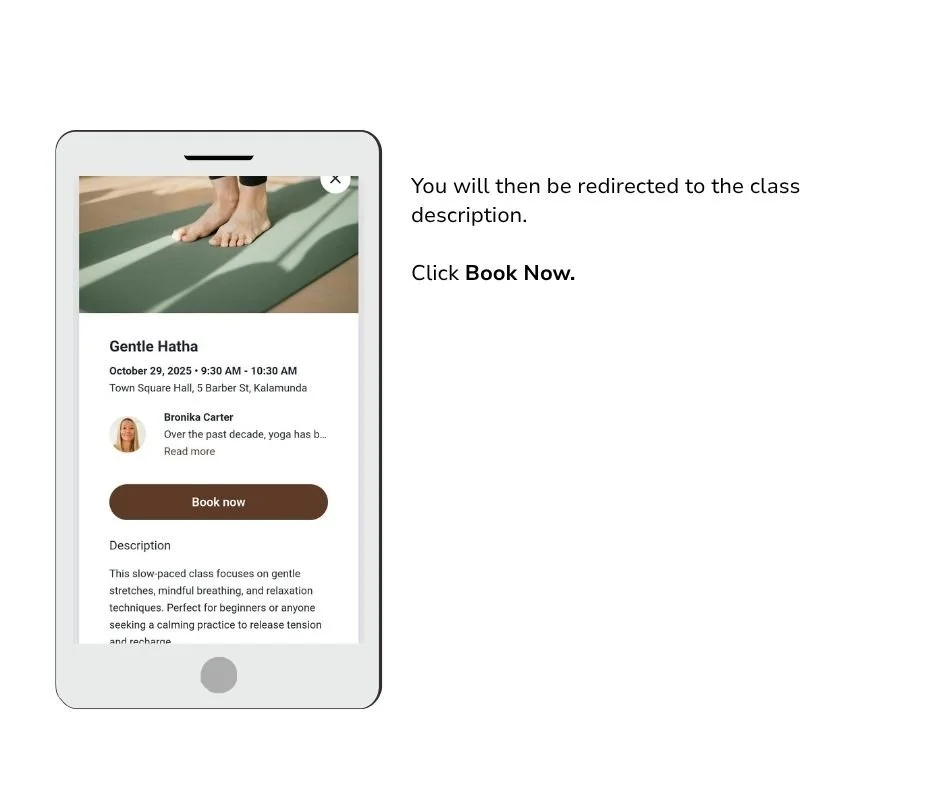
-
Step 4
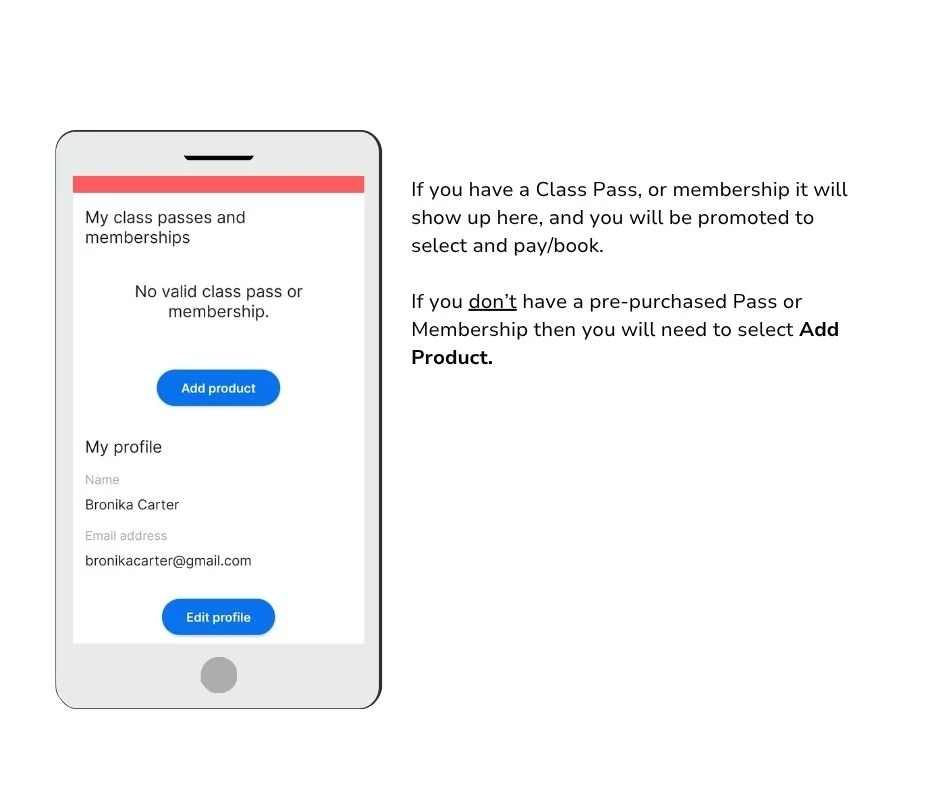
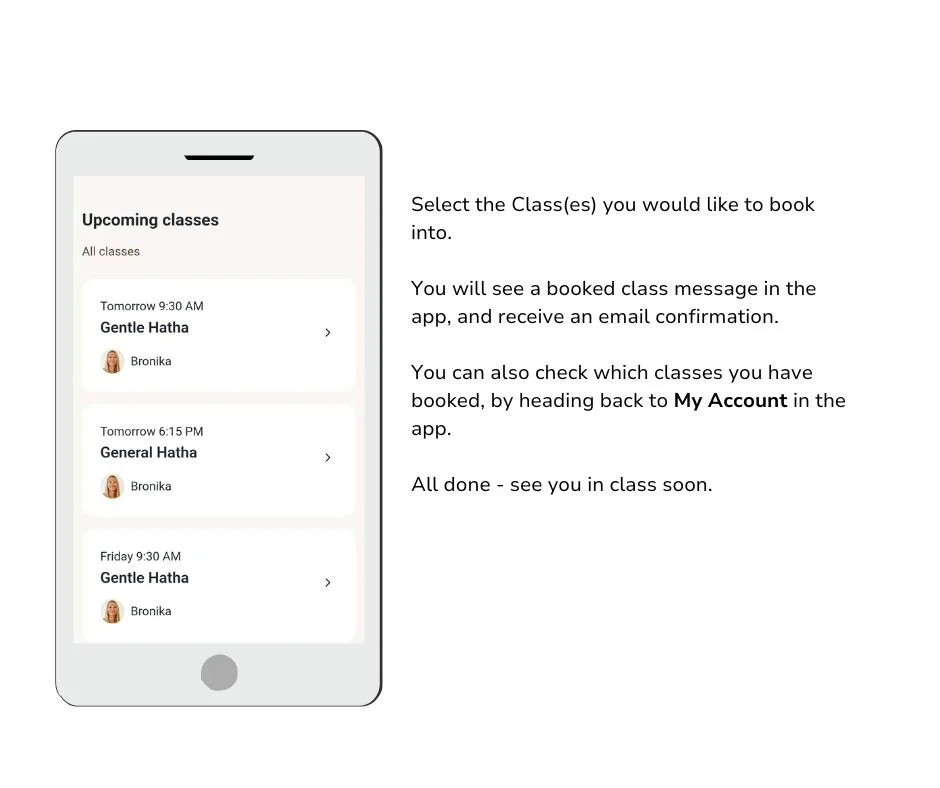
Momoyoga App Instructions Continued..
-
Step 5
-
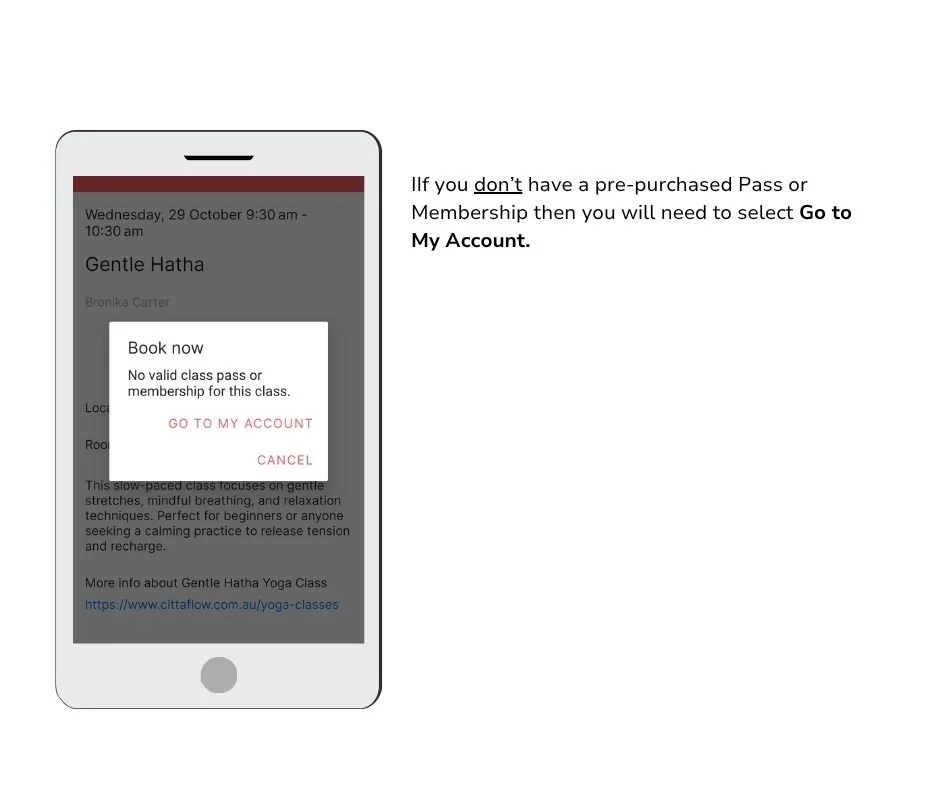
Step 6
-
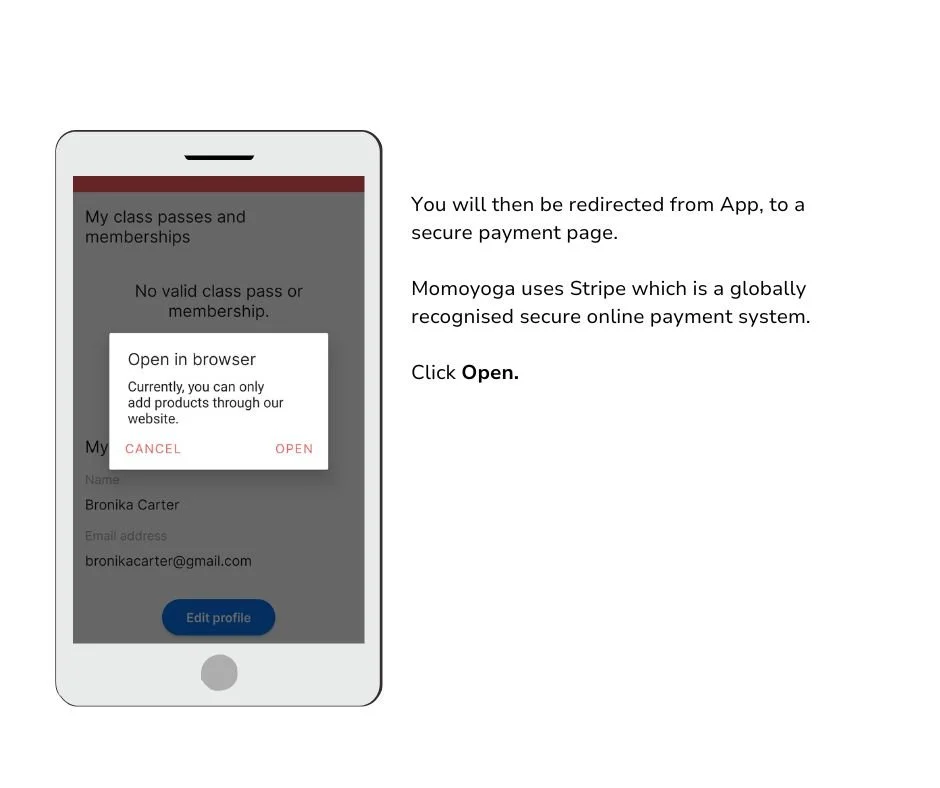
Step 7
-
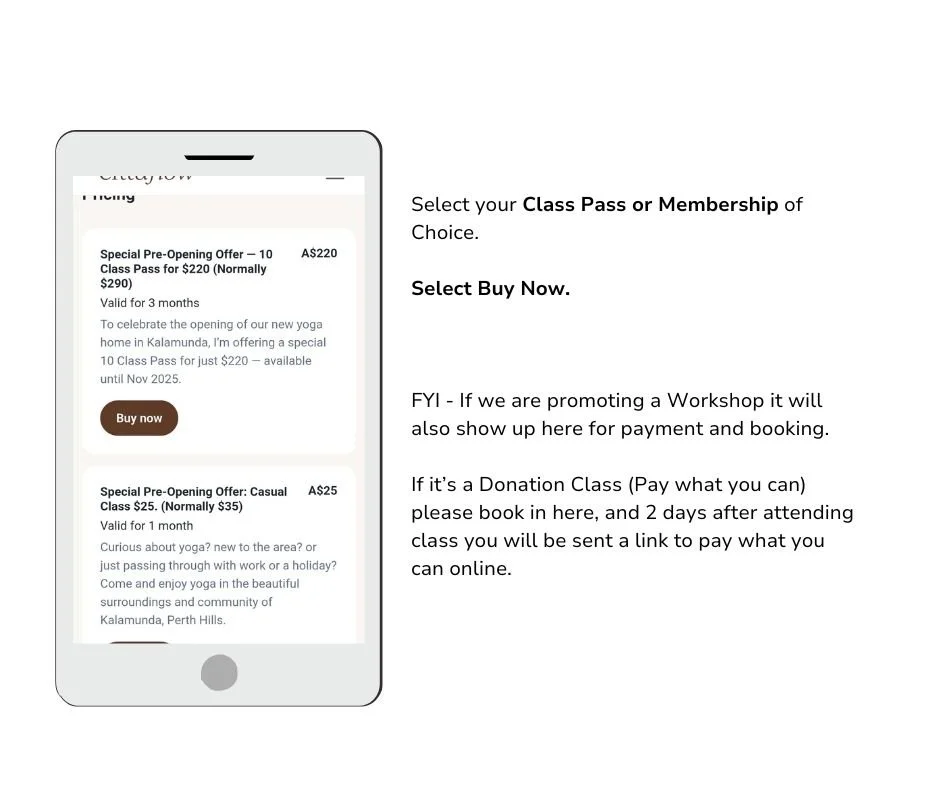
Step 8
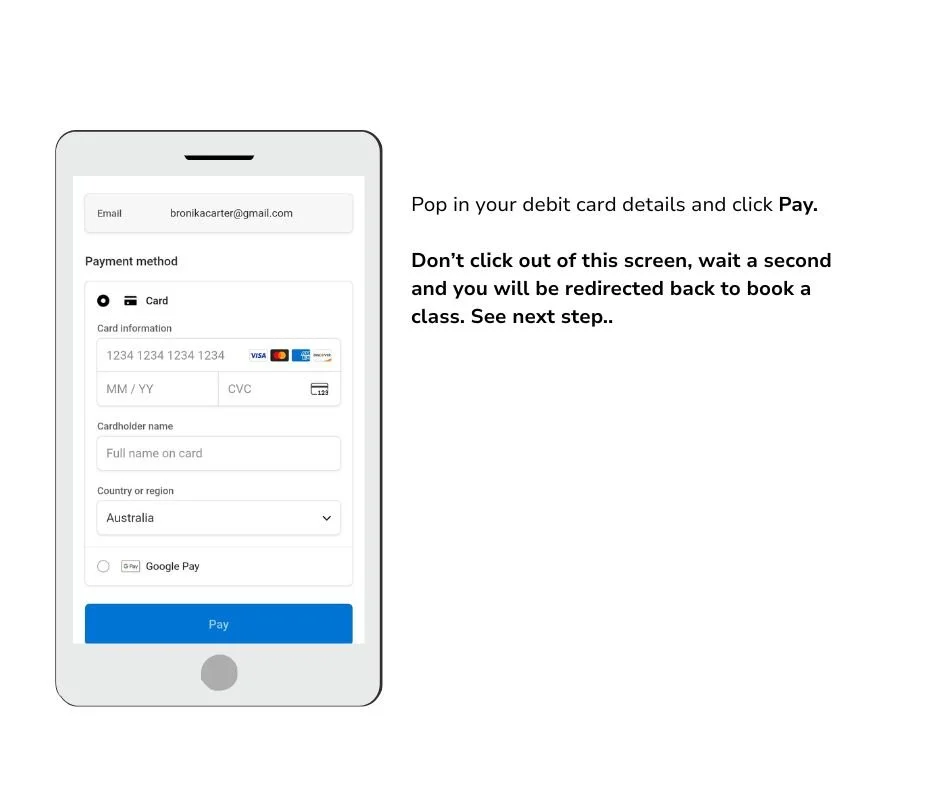
Momoyoga App Instructions Continued..
-
Step 9
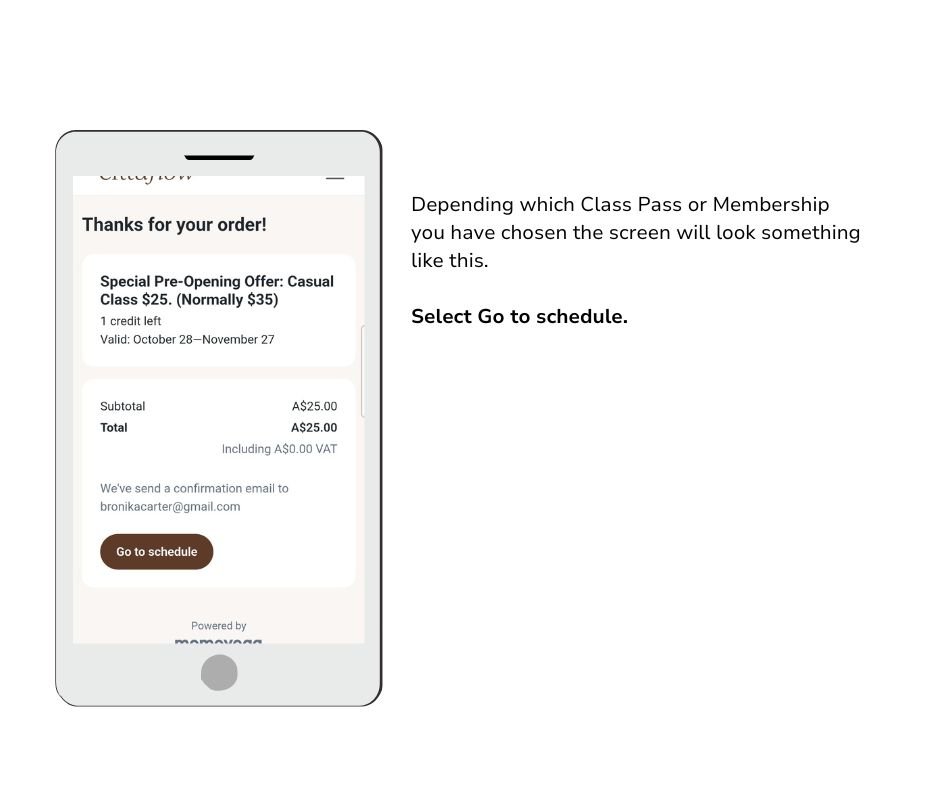
-
Step 10